GuidesStart here
devlooper and Claude Code
What devlooper adds on top of Claude Code, and when to use which.
devlooper runs on Claude Code. Claude Code does every build, fix and edit, on your own Claude plan. devlooper adds everything around it that turns a design into a finished, published site.
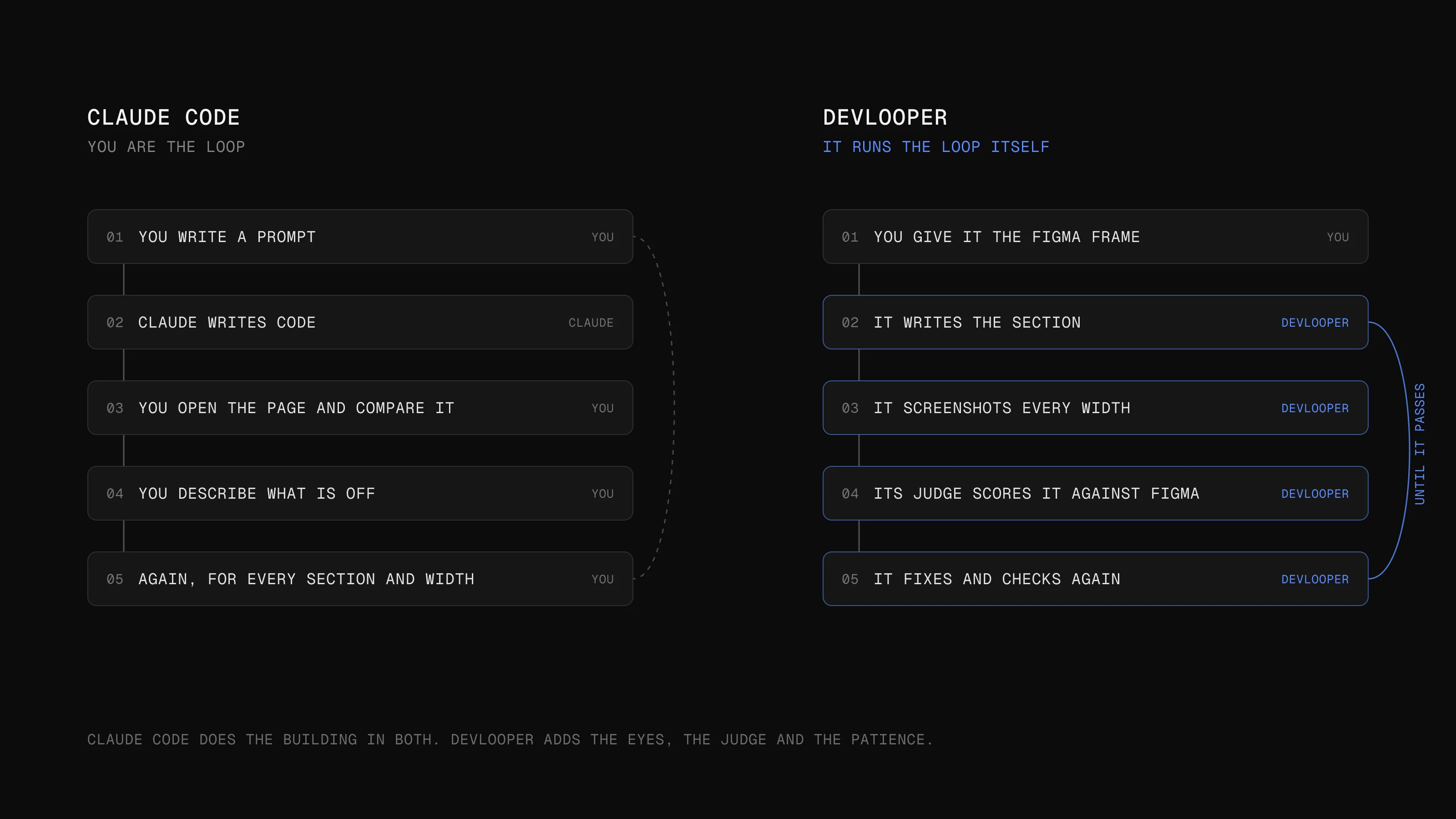
What devlooper adds
| Claude Code on its own | devlooper | |
|---|---|---|
| Starting point | A prompt in a terminal or editor | A Figma frame, a live URL, or a short brief |
| Checking the result | You look and describe what is wrong | An independent reviewer scores every section against the design, and the loop fixes it until it passes |
| Editing | You describe the element in words | You click the element on the live page and say what to change |
| Screen sizes | You check them yourself | Desktop, tablet and mobile side by side |
| Publishing | Your own git, CI and hosting | One Publish panel: preview, review and the live site on Vercel |
| Content | Edit the code | A CMS the site's owners use at /cms |
| Long builds | Your terminal stays open | Runs in the background, or on Railway with the laptop closed |
| Projects | Folders on your disk | A Hub of projects backed by GitHub, shared with your team |
Editing: Design vs a prompt
With Claude Code you tell it where and what: "in the hero on the pricing page, make the heading smaller". With devlooper's Design:
- You point instead of describing where. Click the element; devlooper hands Claude its exact source file and line, its styles and the breakpoint you are on.
- You see the change at once. The page reloads with the edit, on the real site with your real components.
- You batch. Pin several elements, write a note on each, and send them as one request: one run, fewer tokens.
- Some changes need no AI at all. Text, links, images and section order change directly, in the code, without spending your plan.
When to use Claude Code directly
Claude Code is still the right tool for work that is not about how a page looks: back-end logic, scripts, refactors across a codebase, or a repository devlooper is not managing. devlooper's Code view opens the project in an editor with a terminal, so you can switch to plain Claude Code without leaving the project.