GuidesStart here
What the loop is
Set it up, start it, walk away. The loop does hours of work while you sleep.
The loop is what builds your pages. It does the work a front-end developer would spend a day or more on: reading the design, writing the page, checking every section against Figma, fixing what is off, and checking again, until each section passes.
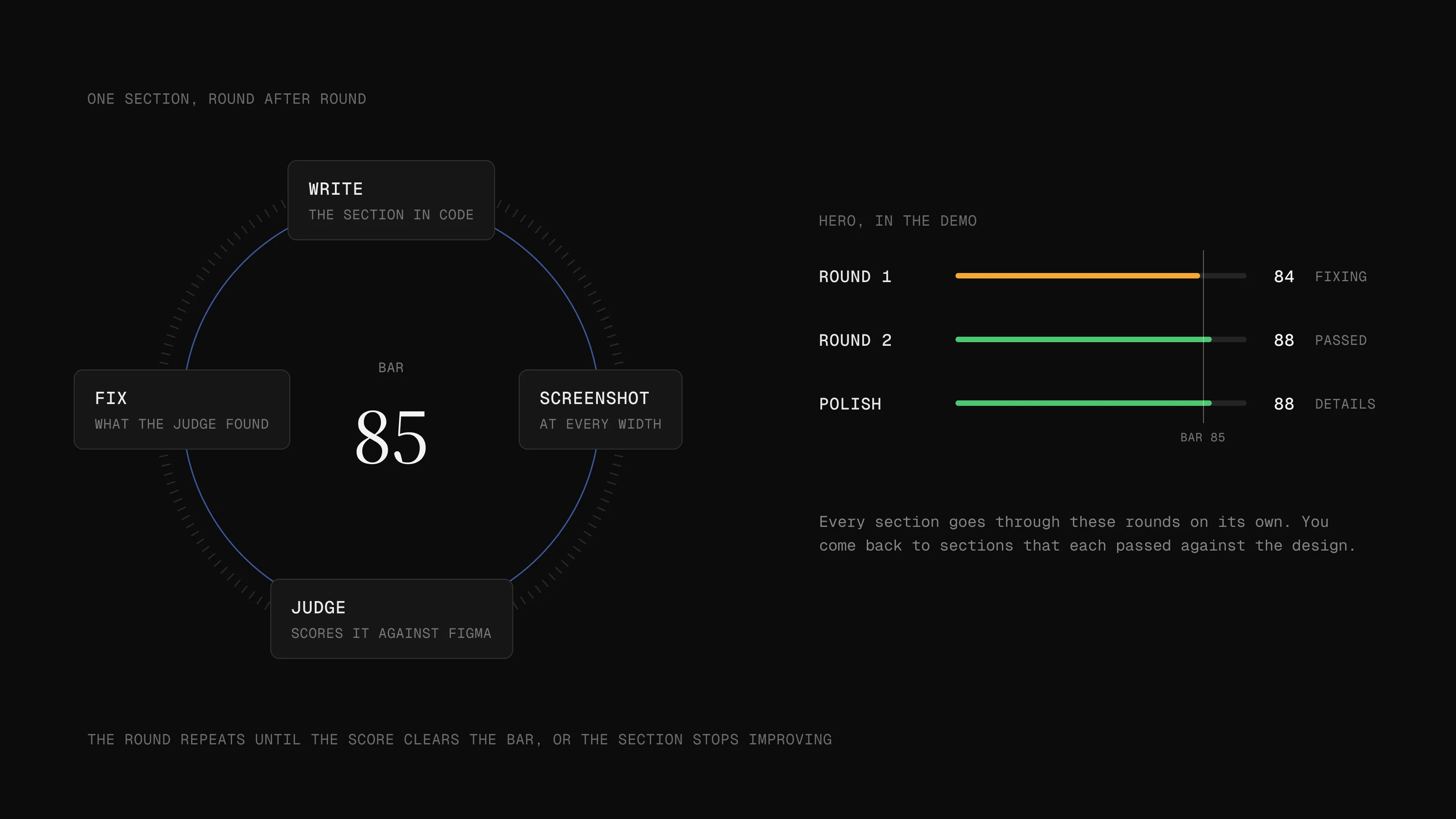
It takes hours, on purpose
A loop is not a quick reply. A page usually takes one to several hours, because the loop does not stop at a first draft:
- It reads the design and builds the whole page as a foundation.
- An independent reviewer scores each section against the Figma frame, at every screen size.
- A fixer corrects what the reviewer found.
- The section is checked again. This repeats until it reaches the quality bar, or stops improving.
That review and fix cycle brings the result close to the design, and it is where the time goes.
How to use it
- Set it up properly. Pages, Figma frames and notes in Config and the Sitemap. The better the setup, the better the night's work.
- Start it. Press Start in Loop.
- Walk away. Go home, go to sleep. It keeps going in the background, or on Railway with the laptop closed.
- Come back to finished work. Open Design to see the pages, the scores and what is left to polish.
What it is not for
The loop is not for "change this button now". For small, immediate changes, use Design: pick the element, say what to change, and see it in seconds.
| You want | Use |
|---|---|
| A new page or a whole site built from Figma | Loop, overnight |
| A rebuilt page after a big design change | Loop, overnight |
| A tweak to one element, text or spacing | Design, right away |
| A batch of small fixes after review | Design with pins |