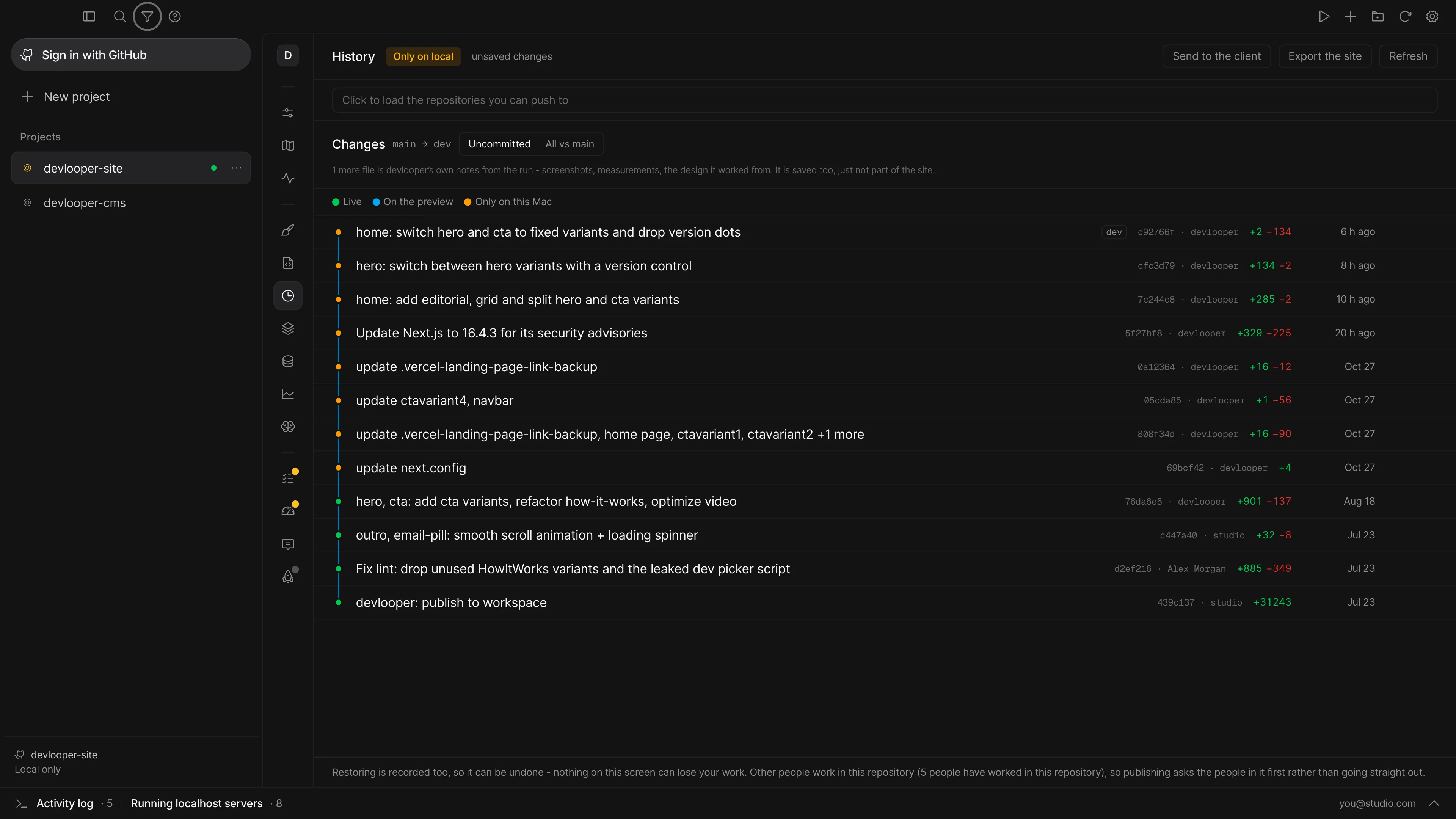
Create a project
Start a project with the agent or the form - from Figma, a repository, a live page or from scratch.
Create the project
In the Hub, click + (New project) in the top bar, or Set up with Agent on the empty screen. devlooper asks how you would like to set it up:
- Set up with Agent (recommended): Claude asks what it needs, reads your Figma file and sets up every page.
- Set it up yourself: a short form with the name, the framework and the first page.
Set up with Agent
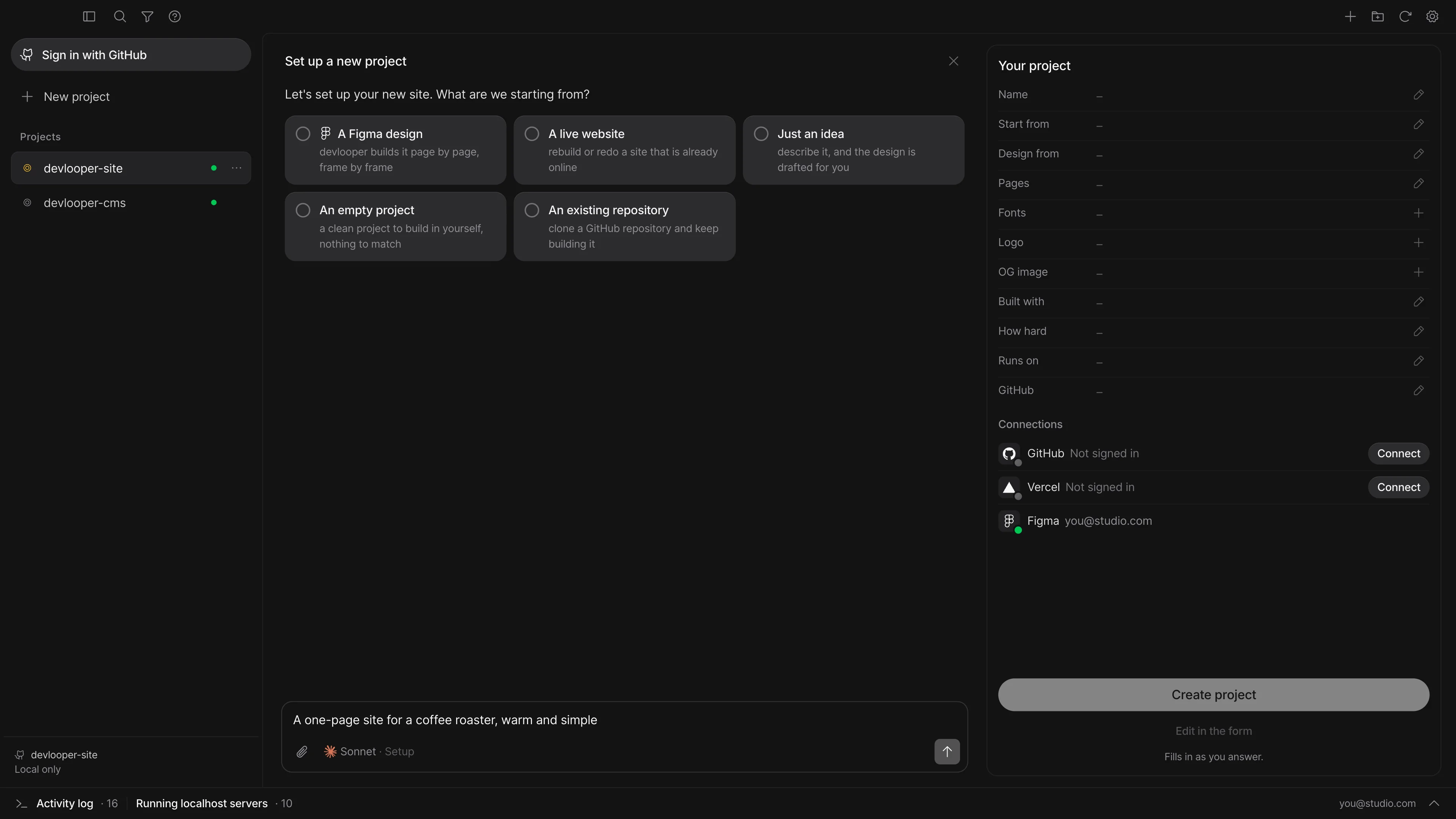
- Say what you are building, or paste a link straight away. A Figma link is read at once: every page of the file shows as a picture to tick, and the ones the designer marked Ready for dev say so.
- Answer its questions, one short one at a time. Buttons offer the likely answers, so you can usually click instead of typing.
- The card beside the conversation fills in as you answer: where the design comes from, the pages, the framework, the style guide frame, fonts, the logo and files, and a note for each page. Change anything on it with the pencil beside it.
- It says which accounts are connected (GitHub, Vercel, Figma) and offers to connect what is missing.
- Click Create project. You can start the build straight away, or open the project first.
You can start from a Figma design, a live website, a description, an empty project, a GitHub repository picked from your list, or one of your projects, to reuse its framework, fonts, breakpoints and design system. The setup chat uses Sonnet, so it is quick and light on your plan.
Prompts to try
A new site from a description
New project · Set up with Agent
A site for Northwind Roasters, a small coffee roastery. Three pages: Home, Shop and About. Warm and editorial, in Next.js.
Build it from a Figma file
New project · Set up with Agent
Build my site from this Figma file: <paste the link>. Start with the home page and the pricing page; the rest can come later.
Start from a live site
New project · Set up with Agent
Rebuild <paste the address> in Astro so I can change it here. Keep its pages, its links and its look.
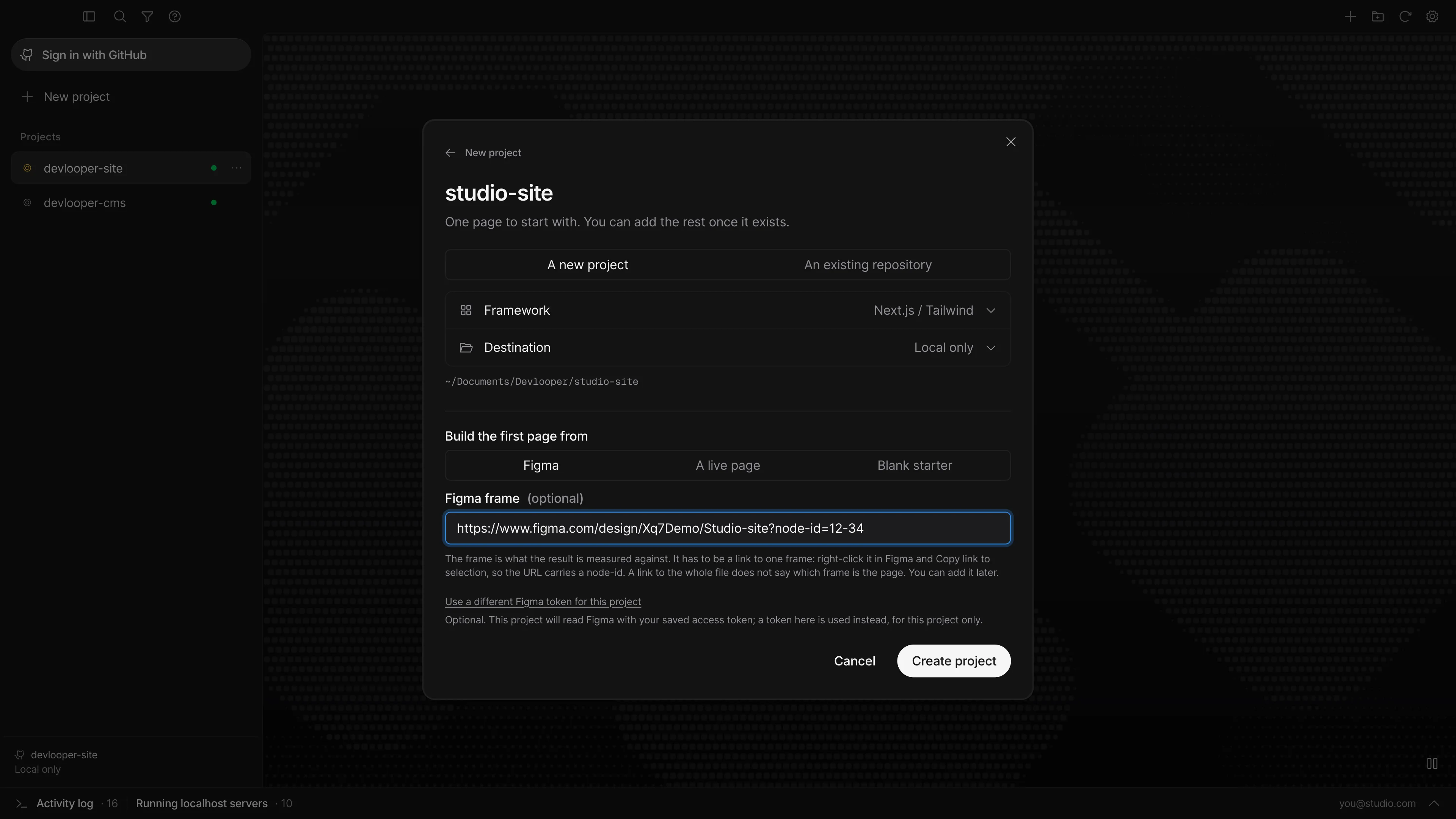
Set it up yourself
- Type a Project name.
- Choose A new project, or An existing repository to start from a site that is already on GitHub.
- Pick the Framework: what the finished site is written in. This is the one choice you cannot change later.
- Pick the Destination: Local only keeps it on this Mac; choosing an organization also creates its GitHub repository.
- Under Build the first page from, choose Figma (paste the link to one frame: in Figma, right-click the frame and choose Copy link to selection), A live page, or Blank starter.
- Click Create project.
| Framework | Good for |
|---|---|
| Static HTML/CSS | A single simple page |
| Astro / CSS or Astro / Tailwind | Content sites: marketing pages, blogs |
| Next.js / Tailwind | Sites that will grow, with interactive parts |
Then build it
- Open the project. Check its pages in Config or the Sitemap: each page needs a Figma frame, a live page, or a brief.
- Go to Loop and click Start.
- Walk away. A build takes hours, not minutes: it reviews and fixes every section until it matches the design. See What the loop is.
Already have the project on your Mac?
Click the folder icon in the top bar (Add a project already on this Mac) and choose its folder. If the folder is not a devlooper project yet, click Set it up: it adds what devlooper needs and leaves your files alone.