Guides3. Run the loop
Keep your Mac awake
Keep a build going while your Mac would otherwise sleep.
A build takes hours. If your Mac falls asleep, the build stops until it wakes: a night's build can sit unfinished until morning. Two switches in Settings → Power keep it awake.
Nothing is lost when it does sleep. When the Mac wakes, the build carries on; if it got stuck while asleep, devlooper restarts it once by itself, from where it was. That happens only while the app is open.
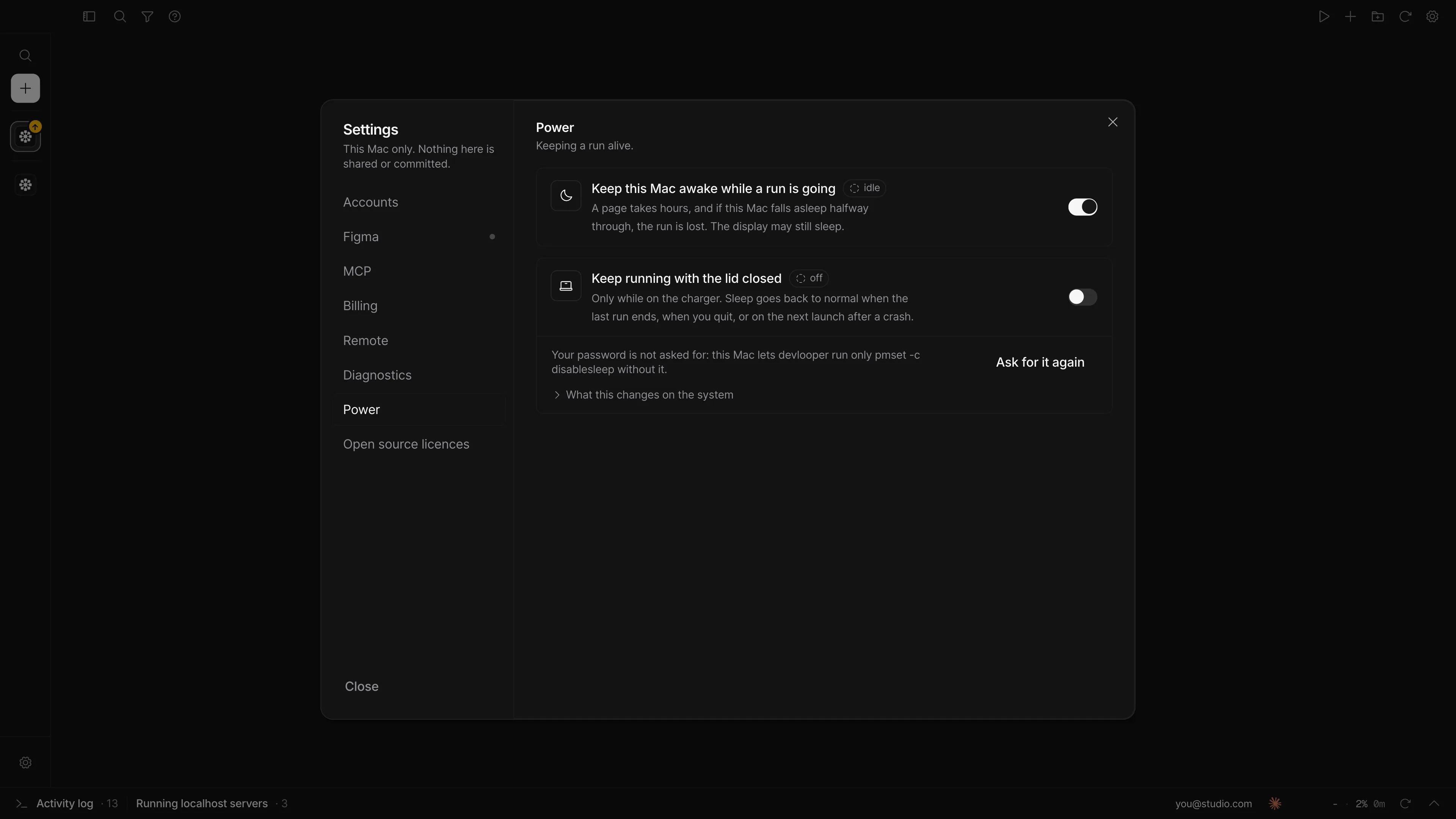
Keep this Mac awake while a run is going
Your Mac stays awake while a build runs, then sleeps normally again. The screen can still turn off, and closing the lid still puts the Mac to sleep.
Keep running with the lid closed
Turn this on too if you want to close the lid and walk away.
- It works only when the Mac is plugged in. Unplugging restores normal sleep.
- macOS asks for your password when such a build starts and ends. Stop asking for my password asks once and then lets devlooper change only this one setting.
- The bar at the bottom shows System sleep off · restore while it is in effect. Click it to put sleep back at once.
Prefer to close the laptop without any of this? Run the build on Railway.