History
Every saved version of the site, and how to go back to one.
History lists every saved version of the site, newest first, with what changed in each. Nothing here can lose your work: going back is itself recorded, so you can always return.
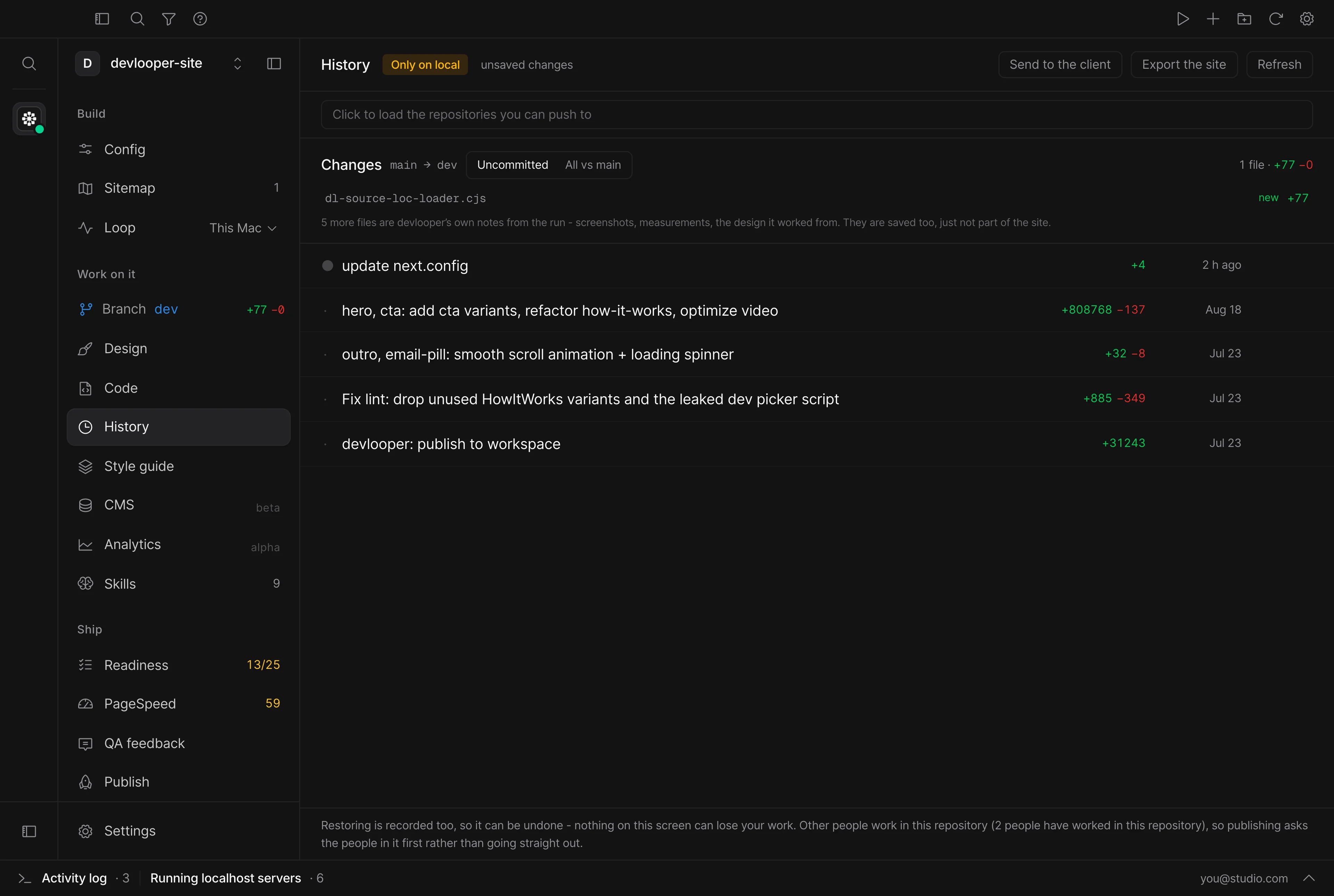
See what changed
- The badge at the top says where the current version is: Only on local (just this Mac), On the preview, or Live.
- Click a version to see the files it changed; click a file to see the change itself.
- Changes at the top shows what you changed since the last saved version.
The graph
Every saved version is a row, drawn as a line of dots. The dot's color says where that version is:
| Dot | Means |
|---|---|
| Live (green) | It is on the public site. |
| On the preview (blue) | It is on the preview link, not live yet. |
| Only on this Mac (orange) | Nobody else has it yet. Publish sends it. |
When your changes clash with the preview
If someone changed the same lines on the preview, History says how many of your changes clash and numbers them. Hover a numbered change to see both versions.
Click Resolve with Claude. Claude takes in the preview and settles each clash, usually in a minute or two; your files are not touched until it is done. The result is checked and can be undone. If Claude cannot settle one, it says which.
Go back to an earlier version
- Hover the version you want.
- Click Restore, then Put it back.
The site returns to how it looked then. Everything since stays in History: restore the newer version to come back.
The newest version can be restored too, when you have unsaved changes you do not want. They are saved as their own version first, so they stay in History if you change your mind.
Throw away a build attempt
When you are looking at the result of a build, Discard this attempt deletes it and returns the site to how it was before the build. This one cannot be undone.