Naming & sections
Clean layer names and a clear top-level section structure, so the per-section build identifies elements reliably.
devlooper builds and verifies your page one section at a time, and it identifies elements by their layer names. Good names and a clean top-level structure make that identification deterministic; default names make it guess.
Default names are ignored
The geometry channel treats these as "unnamed" and only keeps such a node if it carries something meaningful (a border or radius, auto-layout, a blend mode, a gradient or image fill, reduced opacity) or is a text layer:
Rectangle 12 Group 5 Vector Ellipse 3 Line 8Anything matching Group / Rectangle / Ellipse / Vector / Line (optionally with a
number) counts as a default name there. Frame 427 is not filtered out, but it
carries no meaning either: a section, card, button or component left on any default
name is harder for the tool to reason about and label in the code.
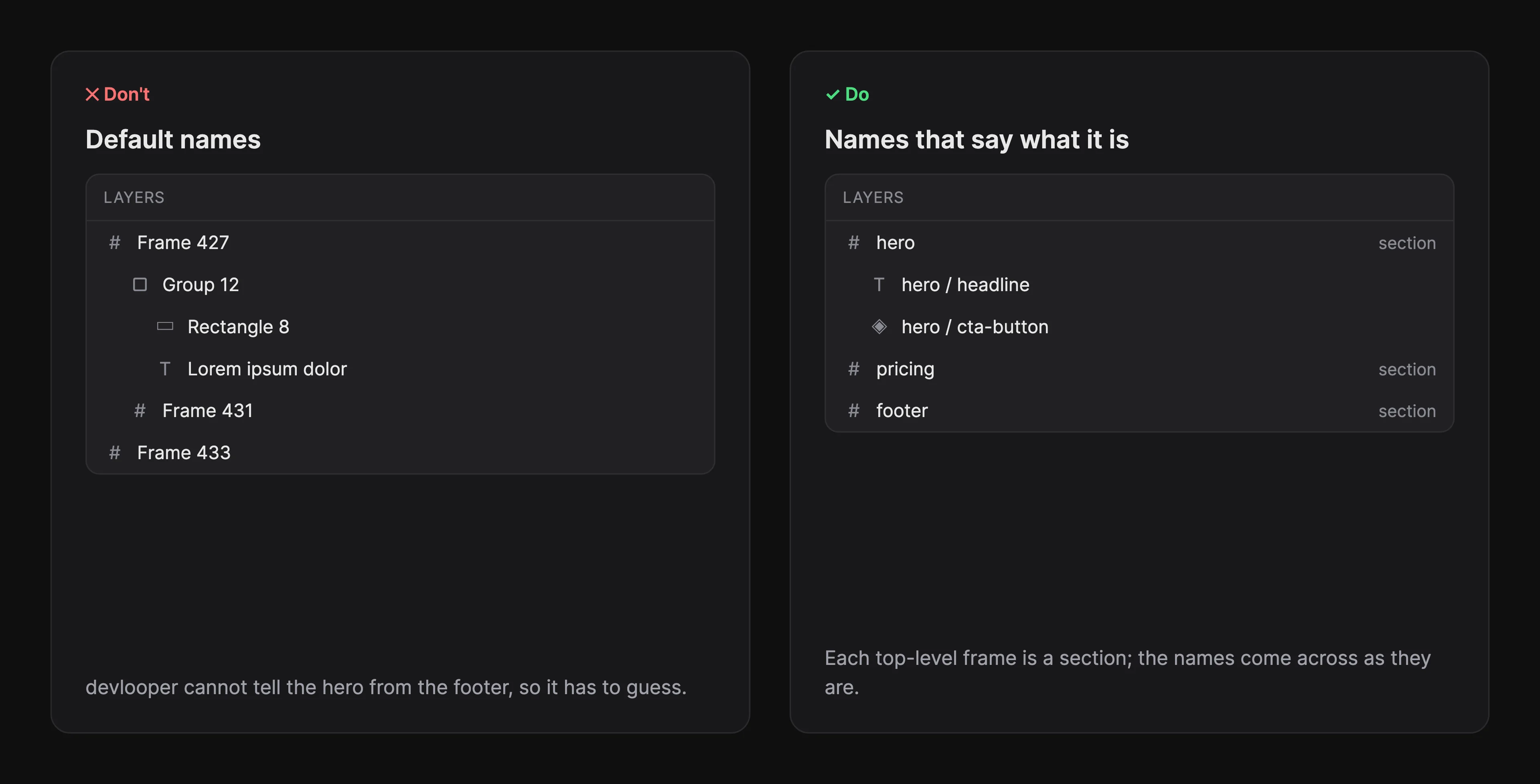
Do
- Give every meaningful node a semantic name:
hero,feature-card,primary-cta,nav,stats-row,footer. Kebab-case reads cleanly and often becomes the section identifier in code. - Name your top-level sections clearly and in order. The top-level children of
your handoff frame become the page sections devlooper builds one by one. Their
order in the layer panel is the order on the page - keep them sequential and named:
nav,hero,logos,features,testimonial,pricing,faq,cta,footer. - Name components meaningfully, and name variants with real property values
(
Word=Tesla,Word=Bosch) - the tool reads variant sets, and for animated cycling text the variant values are the cycle list. - Make component/instance structure match the real UI. One
Cardcomponent reused becomes one reusable code component; ten detached copies become ten one-offs.
Don't
- Don't ship a tree full of
Frame 427/Group 12. Even if the visual is right, the structure reads as noise. - Don't bury a section three groups deep for no reason. A shallow, meaningful
tree (section → content → row → item) maps to clean markup; needless nesting
becomes needless
<div>soup. - Don't reuse the same name for different things in one frame - section identifiers need to be unique.
Naming hints devlooper actively looks for
Layer names are also how you signal animation intent. The tool scans for these verbatim, so use them when the design implies motion:
[cycle],[rotate],[typewriter],[animate],[marquee],[ticker],[loop],[slide]in a layer name → flags that element for the matching animation.state-1/state-2variants → interaction / animation states.- Component variants that enumerate a set (
Word=Tesla,Word=Bosch,Word=Overstock) → the cycling set for rotating text.
If a heading is meant to type-cycle through words, naming the variants (or dropping
a [cycle] tag) is far more reliable than hoping the tool infers it from a faded
ghost layer.
Page structure
- One page = one clean top-level frame, with its sections as direct children in visual order.
- No off-canvas scaffolding in the handoff frame - old variants, exploration, scratch layers. If it's not part of the page, it shouldn't be inside the frame (see hidden layers).
- Multiple breakpoints → one frame each, named so the pairing is obvious:
home/desktop,home/tablet,home/mobile.
Quick self-check
- Scan the layer panel top to bottom - can you read the page structure from the names alone, without opening anything?
- Are the top-level children exactly your page sections, in order?
- Any
Frame N/Rectangle N/Group Nleft on a section, card or button?