Variables & tokens
Figma Variables flow straight into real design tokens - a fully deterministic path when colours, spacing and type are bound.
devlooper pulls your Figma Variables directly through the Variables API and
turns them into real design tokens in code. This path is fully deterministic:
r: 0.7843137 becomes #C8A96E exactly - no rounding, no AI interpretation, no
hallucinated hex. Anything you don't bind to a variable is a raw value the tool
has to read off the pixels and guess.
Rule of thumb: if it's a value you'd want consistent across the page (a colour, a font size, a spacing step, a corner radius), it should be a variable.
Plan requirement (important)
Figma Variables require a Professional or Organisation plan. On a Starter/Free file the Variables API returns 403 and devlooper falls back to reading colours off the design - less accurate. If your team is on Starter, either upgrade the file's team or expect colour/spacing fidelity to lean on the pixel diff instead of exact tokens.
What to tokenise
| Category | Bind to variables | Why |
|---|---|---|
| Colour | backgrounds, text, accents, borders, every brand colour | exact hex in code, consistent theming |
| Typography | font size, line-height, font family, weight (via variables or text styles) | drives the type scale in code |
| Spacing | gap, padding steps (an 4/8px scale) | becomes the spacing scale; for Next builds this is effectively a lint gate |
| Radius | corner-radius steps | consistent rounding |
Spacing and radius are the two most commonly left un-bound - and the two the tool most wants as tokens. Pay them special attention.
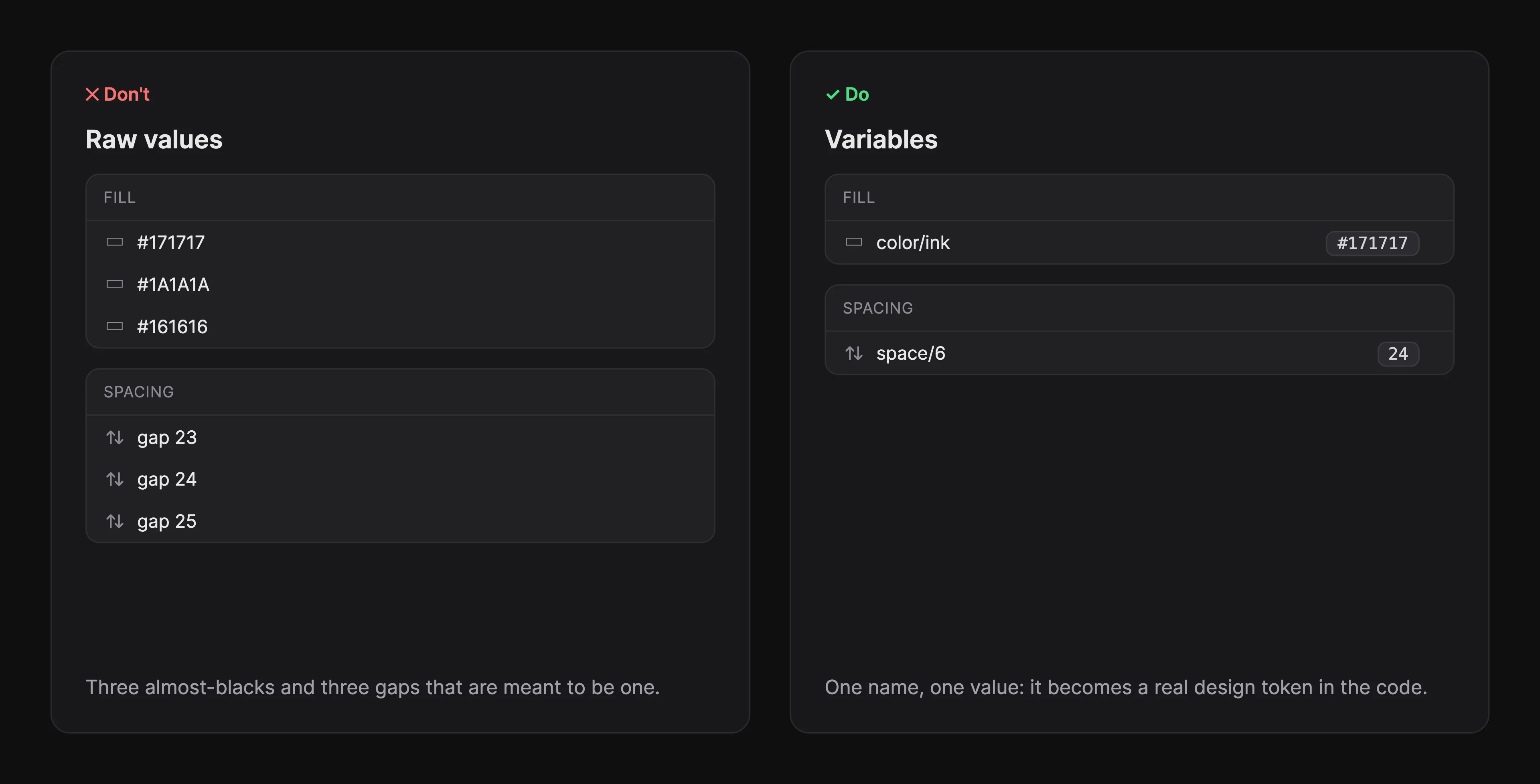
Do
- Create variable collections for colour, typography, spacing and radius, and bind node properties to them (fills, strokes, text colour, font size, auto-layout gap/padding, corner radius). "Bound" is what the API reports - a value that merely equals a token but isn't linked doesn't count.
- Use aliases sensibly. devlooper resolves alias chains (up to 8 levels) (semantic →
primitive, e.g.
bg/surface→neutral/900) down to the concrete value, so a semantic layer on top of primitives is fine and encouraged. - Keep a single source of truth. One
Primary, oneText/Muted- not five near-identical greys. Duplicates become inconsistent code. - Define a styleguide - variable collections and/or text/color/effect styles. Its presence is one of the readiness signals, and it's what makes binding possible.
Don't
- Don't hard-code values you've tokenised elsewhere. A hard-coded
#156AFFon one button when the rest use aPrimaryvariable produces a one-off colour in code and a maintenance trap. - Don't rely on "detached" styles. If a fill shows the value but not a linked variable/style, it's raw as far as the API is concerned.
- Don't put spacing/radius as free numbers when a scale exists - bind the gap and padding to spacing variables.
Units - how values come across
- Values > 1 are treated as pixel dimensions (converted to rem in code where a
rem base is set). So a
24spacing variable becomes1.5rem. - Values 0 to 1 are kept as-is (opacity, unitless line-height ratios).
- Alpha in colours is preserved: a colour variable below full opacity comes across as an
8-digit hex (black at 8% becomes
#00000014). - Only the first mode of each variable is read (for example
Light, if that is your first mode). Put the mode you want built first.
You don't need to do anything special here - just know that clean numeric variables translate cleanly.
Quick self-check
- Open the Variables panel - are there collections for colour, type, spacing, radius?
- Click a section's fill / a heading's size / an auto-layout gap - does it show a linked variable, or a raw value? Raw values are the gaps to close.
- Is the file on a Professional/Org team? (Variables API needs it.)