Guides5. Check it
Readiness
Check a site against the go-live list before you publish it.
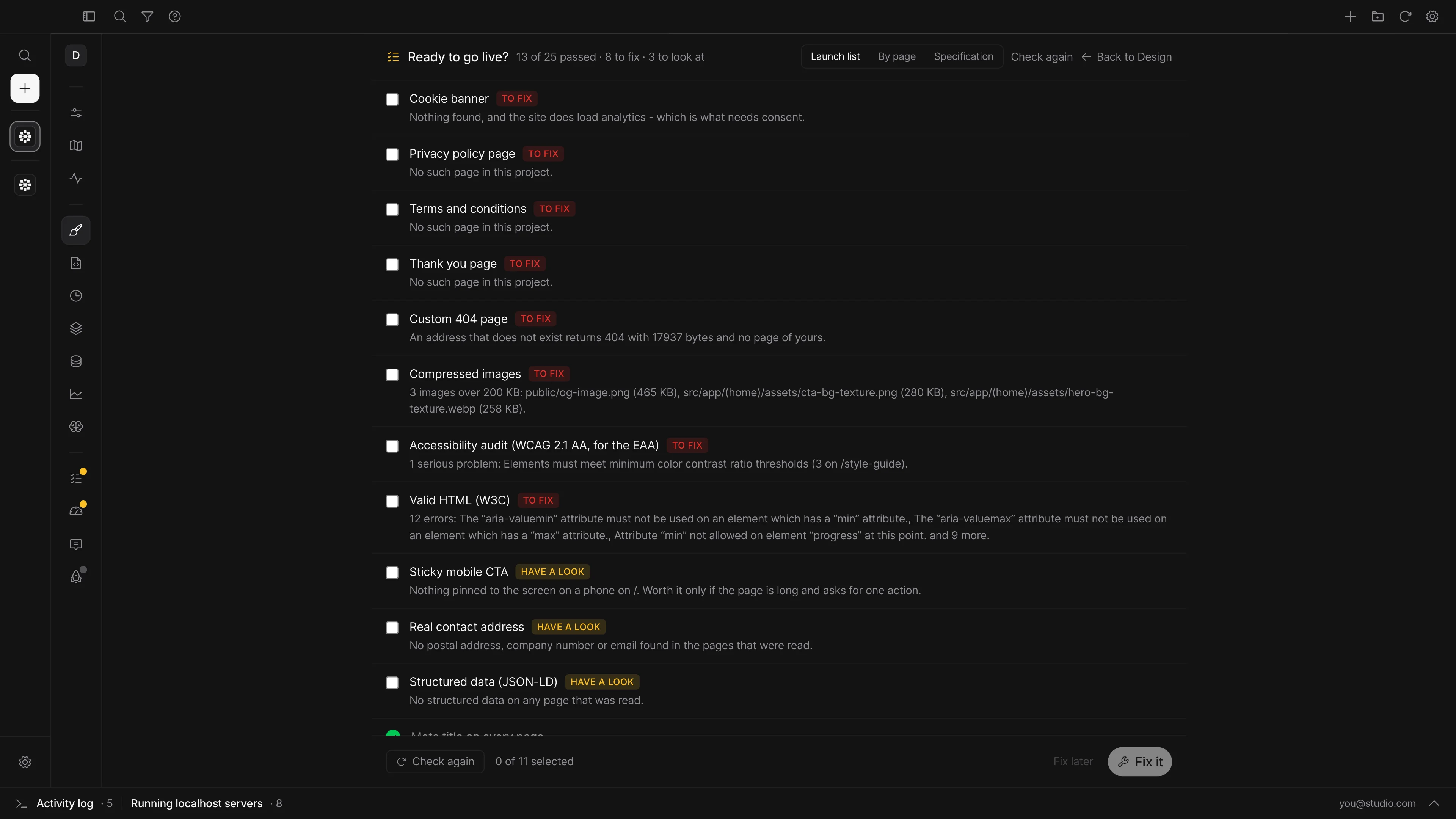
Readiness checks your site against 25 things every site should have before going live: page titles, a 404 page, a cookie banner, image sizes, accessibility and more. Then Claude fixes what you choose.
Run the check
- Click Readiness in the sidebar. It opens as a page in Design, with the last result if there is one.
- Click Check again to run it. It reads the running site and takes a few minutes; a blue spinner shows while it works.
- The number next to Readiness, like 11/25, shows how many passed. Back to Design returns to the page.
Fix what it found
Each item is to fix (red), have a look (amber, a person should decide), or passed.
- Tick the items you want fixed. Items to fix are already ticked.
- Click Fix it to send them to Claude now, or Fix later to add them to your pins in Design.
- Click Check again when Claude is done.
Switch to By page to see what each page needs, or Specification for the full website checklist.
A perfect result reads 24/25: speed is measured separately, in PageSpeed.