Guides2. Set it up
Skills
Teach Claude new abilities for one project.
A skill is a ready-made set of instructions that makes Claude better at one kind of task, like a framework or a design style. A skill you add to a project works in that project's Design chat and builds only.
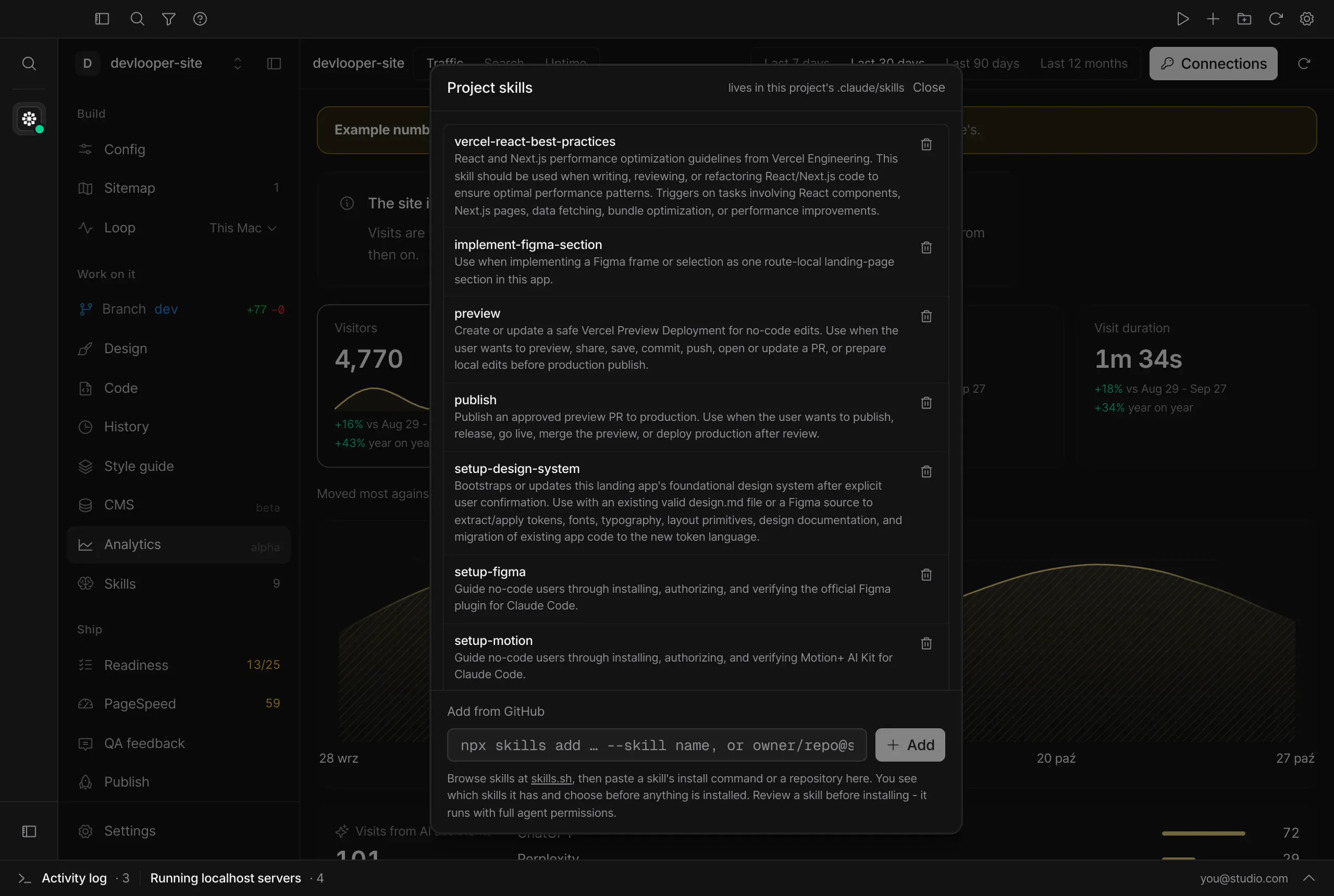
Add a skill
- Click Skills in the project sidebar.
- Find a skill at skills.sh and copy its install command, or type the repository as
owner/repo. - Paste it into the field and click Add.
- Tick the skills you want from that source and click Install.
Remove a skill
Click the bin next to it. The skill is removed at once, without asking.
Review a skill before you install it: it runs with the same permissions as Claude.