GuidesContent
Analytics
See who visits the live site, how people find it on Google, and whether it is up.
Analytics shows visits to the live site, Google search results and uptime, in one tab. The same numbers appear for the site's owners in /cms.
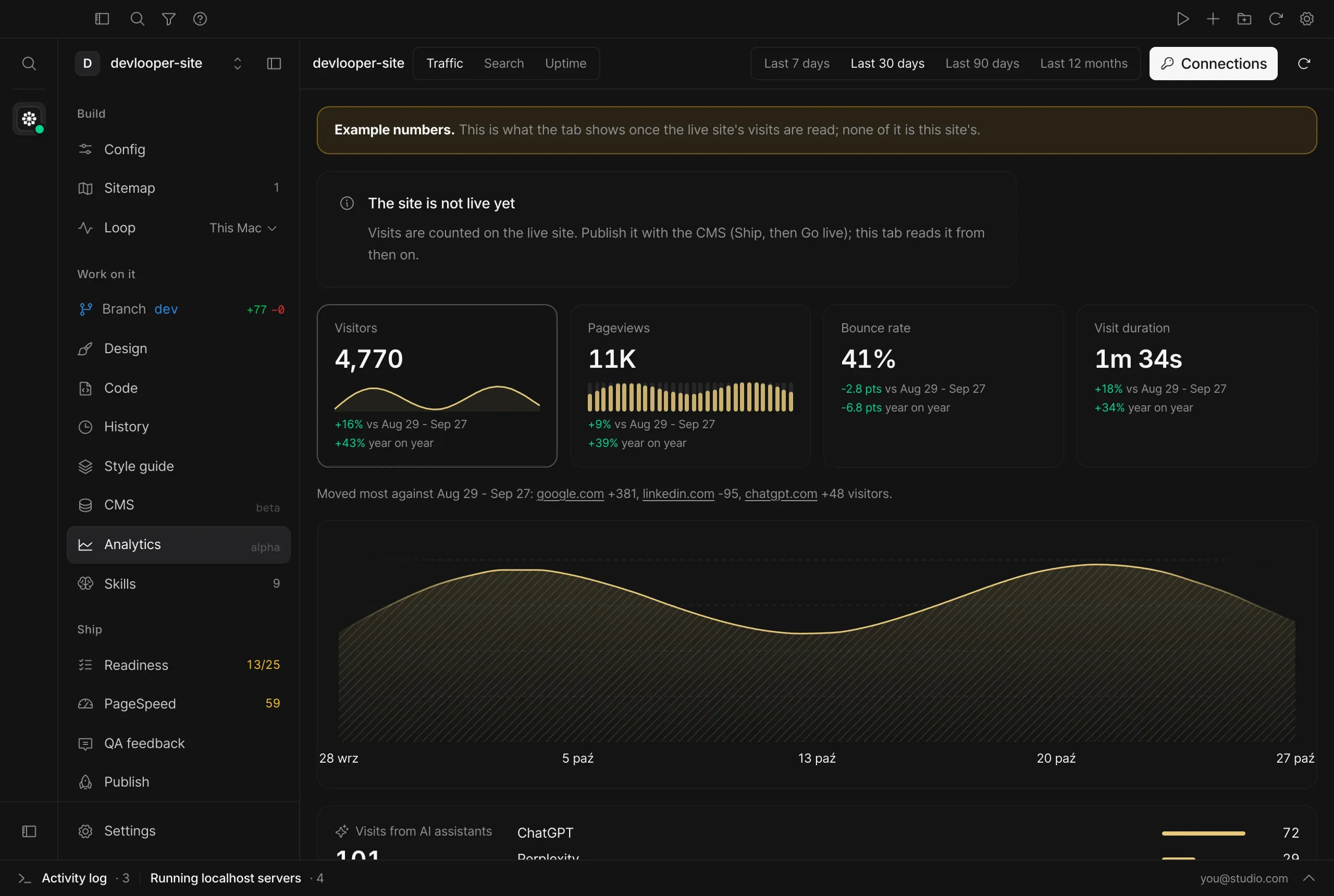
Until the site is live with its CMS, the tab shows example numbers with a note saying so.
Connect a visit counter
- Click Analytics in the project sidebar, then Connections.
- Pick the service that counts visits: Vercel Web Analytics, Plausible, Fathom or Umami.
- Enter the site's ID and read key from that service, then click Connect.
Google Analytics 4 counts visits on the site, but for now you read its numbers in Google.
Google search and uptime
In Connections:
- Connect with Google shows Search Console numbers in the Search tab: clicks, impressions and positions. Search Console runs about three days behind.
- Watch with UptimeRobot creates a check every 5 minutes and fills the Uptime tab.
Read the numbers
- Switch Traffic, Search and Uptime at the top.
- Pick the period: the last 7, 30 or 90 days, or 12 months.
- Click any page, source or country to show only that.
- Visits from AI assistants counts people who came from ChatGPT, Perplexity, Claude and others.