Create a project with Agent
Step by step, let Claude ask what it needs and set up the project for you.
Claude asks a few questions and fills in the project as you answer. Good when you do not know yet which settings you need.
You need: devlooper installed and signed in to Claude (Your Claude plan). The questions use a little of your plan.
1. Start
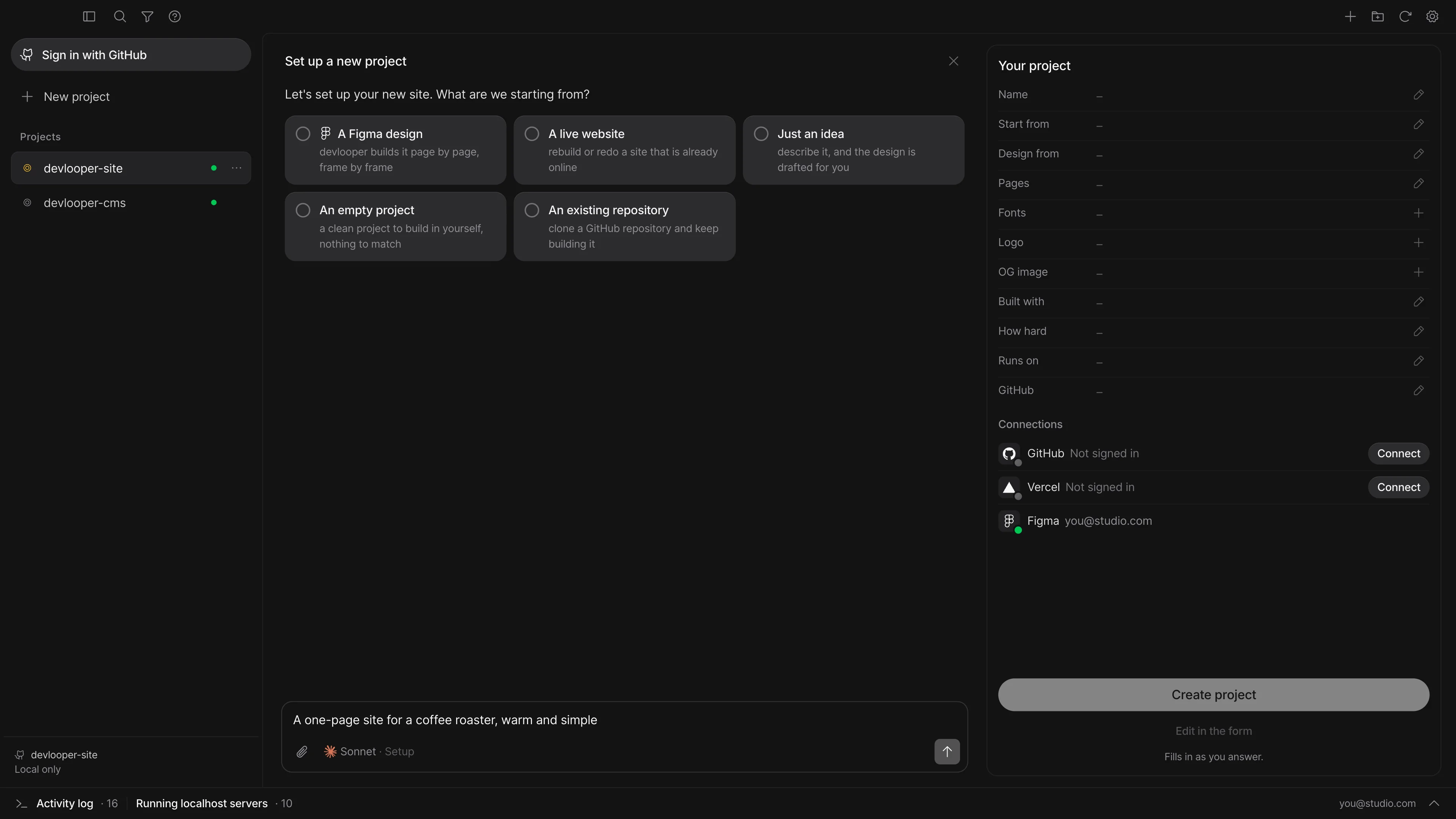
In the Hub, click New project, then Set up with Agent (marked Recommended).
2. Choose where you start
| Choice | For |
|---|---|
| A Figma design | The site is designed. devlooper builds it page by page, frame by frame. |
| A live website | Rebuild or redo a site that is already online. |
| Just an idea | No design. Describe it, and the design is drafted for you. |
| An empty project | A clean project to build in yourself, nothing to match. |
| An existing repository | Clone a site from GitHub and keep building it. |
3. Answer the questions
Type in the box at the bottom (Answer, or paste a Figma link) and press Enter. Claude asks what it still needs: pages, fonts, how hard the build should try, where it runs.
4. Check the card
Your project on the right fills in as you answer: Name, Start from, Design from, Pages, Fonts, Logo, OG image, Built with, How hard, Runs on, GitHub. Click the pencil on any line to change it yourself. Connections shows whether GitHub, Vercel and Figma are connected; Connect signs one in.
5. Create it
When the card is complete, click Create project. Prefer the form? Edit in the form opens it with everything filled in.