Run the loop and read the results
Step by step, start a build and understand what the Loop tab shows.
The loop builds every section, compares it with the design, and fixes it until it passes.
1. Before you start
- Every page you want built is switched on in Config → Pages.
- Settings → Power → Keep this Mac awake is on: a build takes hours, and a sleeping Mac stops it. See Keep your Mac awake.
2. Start
Open Loop and click Start. Walk away; you can close the lid if Keep running with the lid closed is on and the Mac is charging.
3. The bar at the top
round, what it is doing now, the overall score, and the time so far.
4. Sections and rounds
On the left, every page and its sections. Each section shows its score; click it to see its rounds: the first attempt, each fix, and Passed! when it clears the bar.
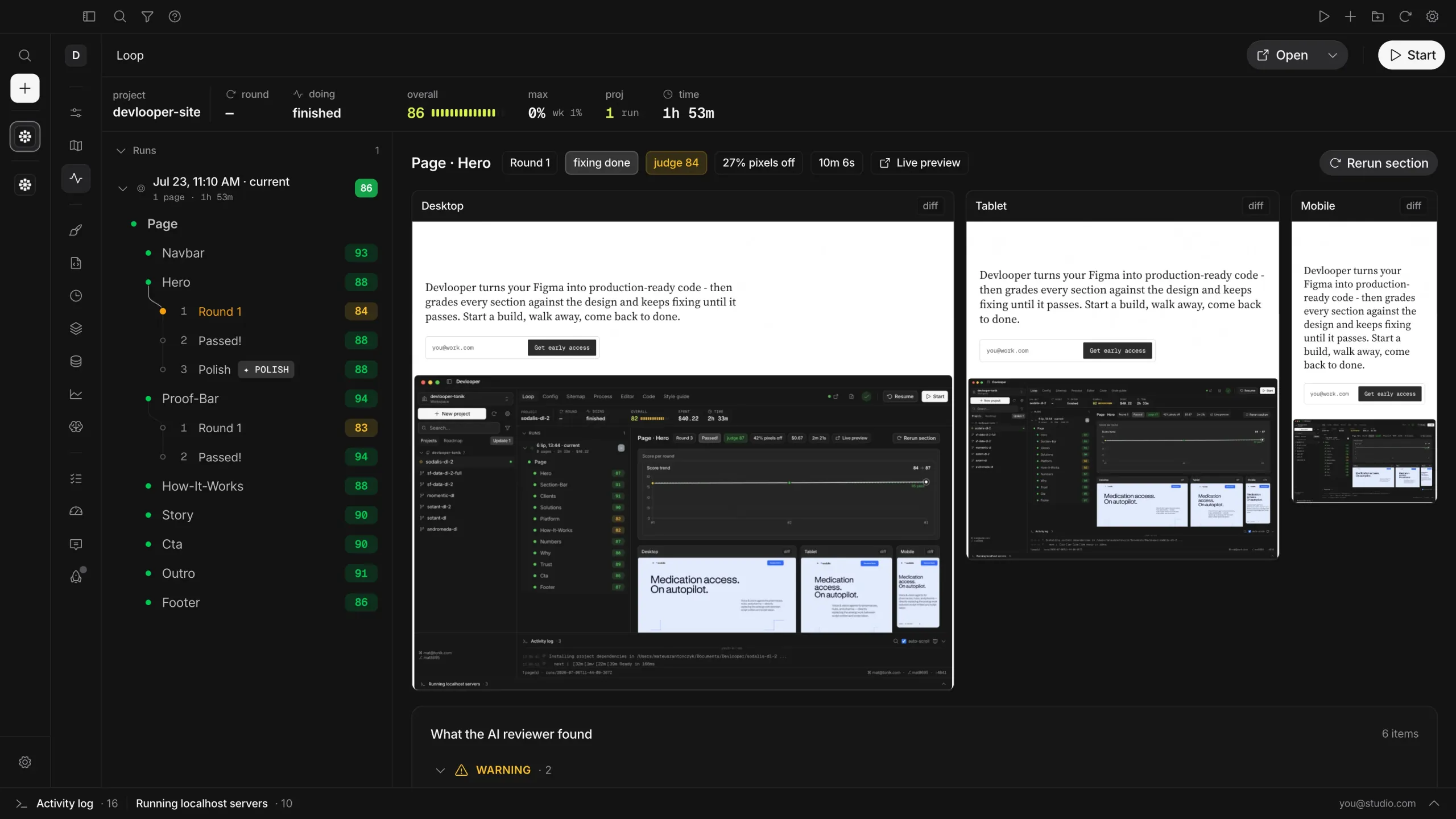
5. The verdict
On the right: the reviewer's score (judge), how many pixels differ from the design, how long the round took, and What the AI reviewer found. Rerun section builds one section again, with a note if you like.
Next
Fix the page in Design. Full guide: Run the loop on your Mac.