GuidesTutorials
Config, card by card
Step by step through every card in Config before the first build.
Config is where you prepare a build. Go through it once, card by card, before you press Start.
Open the project and click Config in the sidebar. The rail on the right jumps to each card.
1. Pages
- Each page has a switch. On pages are built in the next run.
- Click a page to open it: its name, its mode, its Figma frame for desktop and, if there is one, for mobile.
- No tablet design builds tablet from desktop and mobile.
- Build this page builds only that page, now.
- Protect from runs keeps a page as it is.
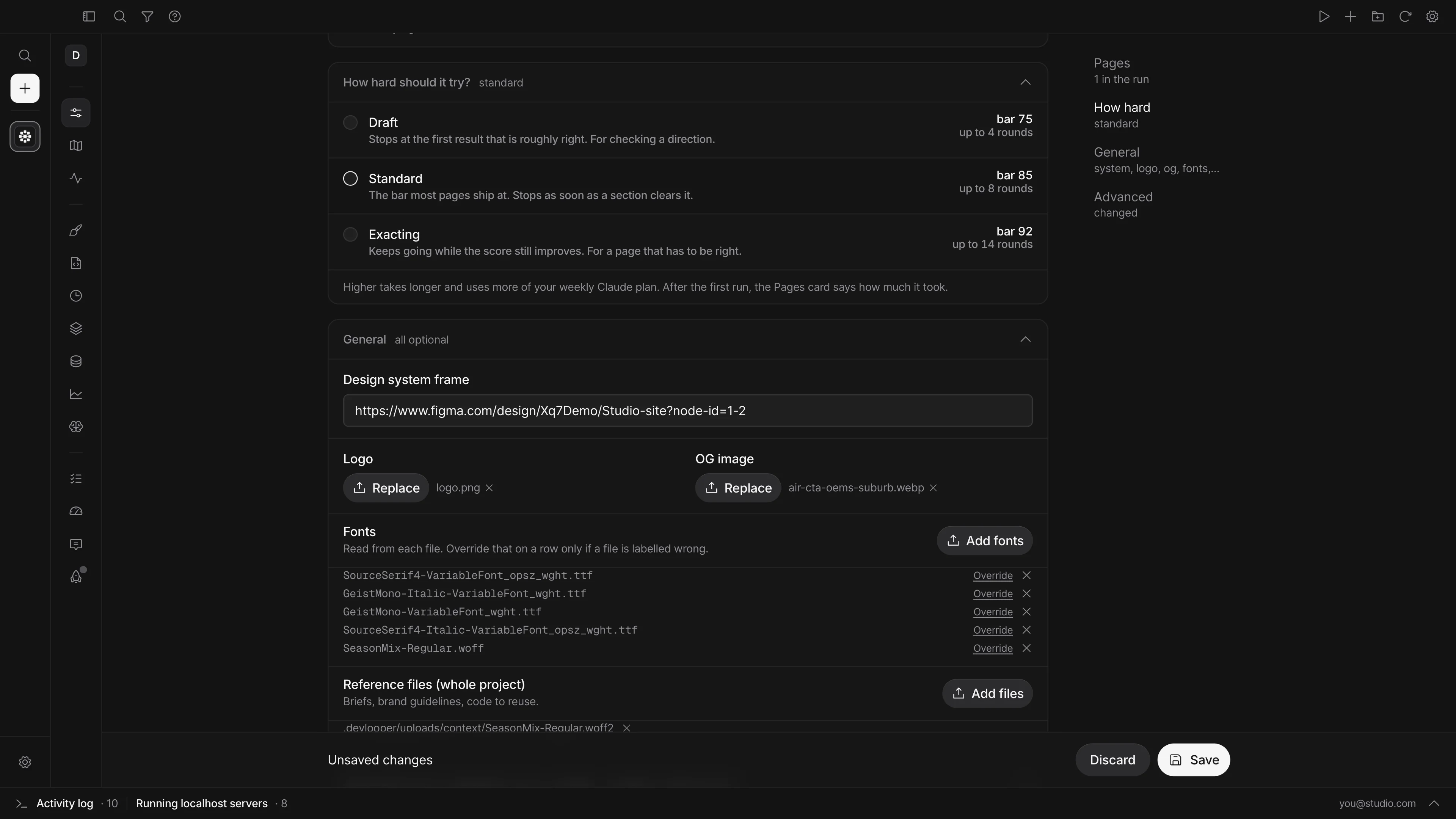
2. How hard should it try
| Level | For |
|---|---|
| Draft | Checking a direction. Stops at the first result that is roughly right. |
| Standard | The bar most pages ship at. |
| Exacting | A page that has to be right. Keeps going while the score improves. |
Higher takes longer and uses more of your Claude plan.
3. General
- Design system frame: the Figma frame with your colours and type. Paste its link.
- Logo and OG image (the picture when a link is shared): Upload.
- Fonts: Add fonts for font files the design uses that are not free on Google Fonts.
4. Context
Write what the site is for, who it speaks to, and anything it must not change. Attach files or Attach folder for a brief, a style guide or copy. The agents read this before they build.
5. Advanced
- Sections at once: how many sections are built in parallel. More is faster and uses your plan faster.
- Draft every page first: a rough pass of every page before the fine work.
- Polish pass: a last pass over the finished page.
6. Save
The bar at the bottom says what changed. Click Save, or Discard to go back.
Next
Run the loop and read the results. Full guide: Config.