GuidesTutorials
Pages in the Sitemap
Step by step, add every page of the site and tell devlooper what each one is built from.
The Sitemap is the list of the site's pages. Each page says where its design comes from.
1. Open the Sitemap
Open the project and click Sitemap in the sidebar. Your first page is already there.
2. Add a page
- Click Add page.
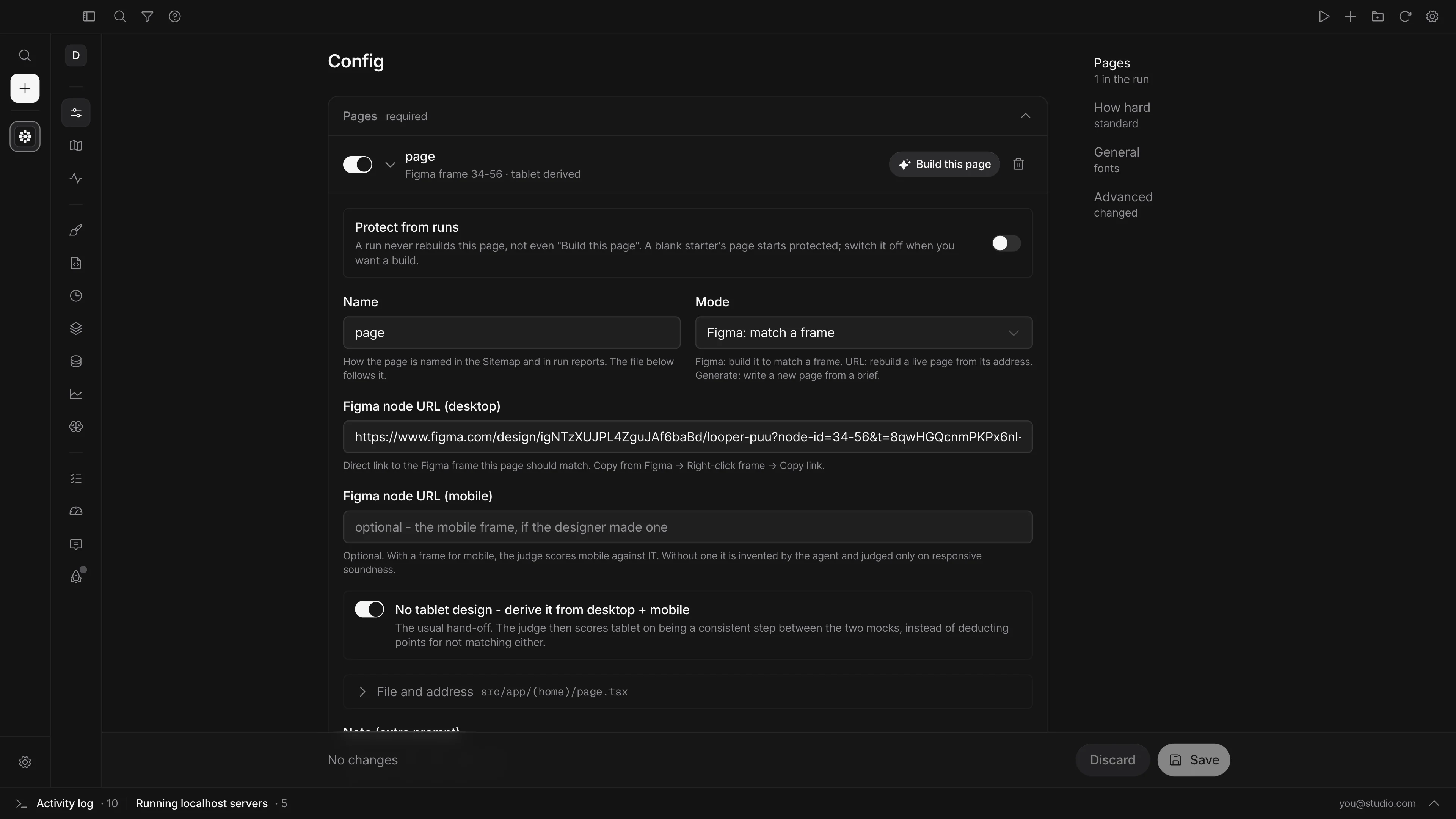
- Type its name, for example About. The address fills in from it; change it if you like.
- Choose its mode:
- figma - match a Figma node: paste the link to the page's frame.
- url - rebuild a live page: paste the address of a page that is online.
- generate - from a brief: write a short brief; the page is written in the style of the others.
- If the designer made a mobile frame, paste it as well.
- Click Save.
Repeat for every page.
3. Pages under pages
Drag a page onto another to put it under it, for example a post under Blog. Its address follows: /blog/first-post.
Next
Config, card by card. Full guide: Sitemap.